

The Command Line Comes Back as Conversation
CLI > GUI > Agent LLM


It’s becoming apparent that the history of user interface design is less linear, more circular.
For decades, the dominant story was that computing moved away from text and toward visuals. The command line belonged to the old world: terminals, prompts, flags, pipes, manuals, and deterministic commands. Then came the graphical user interface: windows, icons, menus, pointers, desktops, folders, buttons, tabs, and eventually the web.
The old terminal gave way to the desktop. The desktop gave way to the browser. The browser gave way to the app. The app gave way to an ever-denser universe of screens, dashboards, notifications, modals, onboarding flows, toolbars, tabs, and settings.
Then AI agents arrived, and something strange happened. The interface began to disappear.
Not because software became less powerful, but because the visible surface of software became less necessary. If an agent can understand intent, search across systems, write code, create media, summarize documents, compare options, operate tools, or coordinate tasks on your behalf, then the user no longer needs to personally navigate every button, menu, page, and workflow.
The user can simply say what they want. In that sense, the age of agents has brought user interface design full circle. The command line is back. Only this time, the computer has learned our language.
The original conversational interface
The command line was one of the earliest and most durable ways humans interacted with computers.

It was not visual. It was not friendly in the modern sense. It did not reveal itself through icons, menus, or affordances. It waited.
Under the hood, there was a compute-ry vocabulary of commands. The human typed. The computer responded. That exchange was stark, powerful, and unforgiving. It was also, in a strange way, conversational.
The user issued a command. The machine interpreted the command. The machine returned a result. The user refined the next command based on what happened. Back and forth. Prompt and response. Request and output. Error and correction.
The command line was not primitive because it was text. It was primitive because the burden of fluency sat almost entirely on the human.
To use it well, the user had to learn the language of the computer: commands, flags, arguments, paths, permissions, pipes, exit codes, environment variables, help pages, and error messages. The machine was powerful, but it was literal. It did exactly what you told it to do, assuming you knew how to tell it.
That was the bargain. Precision gave you power. But the price of power was syntax.
The GUI detour
The graphical user interface changed that bargain.
The desktop made computing legible to ordinary people. Files looked like documents. Folders looked like folders. A trash can looked like a trash can. Windows could be opened, closed, moved, minimized, and layered. The pointer let people act without memorizing commands. Menus revealed possibilities. Buttons made actions visible.
This was a civilizational breakthrough in usability, or more so – the relationship between the user and the system behind the computer.
The GUI allowed computing to leave the terminal room and enter homes, schools, offices, studios, and eventually pockets. It replaced recall with recognition. It made software discoverable. It gave us metaphors.
Then the web extended the pattern.
Pages, links, forms, search fields, shopping carts, profiles, feeds, dashboards, tabs, and navigation bars became the architecture of daily life. Later, mobile apps compressed those patterns into glass rectangles we carry everywhere.
But over time, graphical interfaces accumulated weight.
Every product needed onboarding. Every feature needed a surface. Every business model needed prompts, banners, notifications, badges, upsells, settings, permissions, nudges, and reminders. The simplicity of the early graphical interface gave way to crowded layers of persuasion, configuration, and interruption.
Software became easier to enter, but harder to finish with. The interface often became the work, both to navigate and design/build.
In the app era, designers often asked:
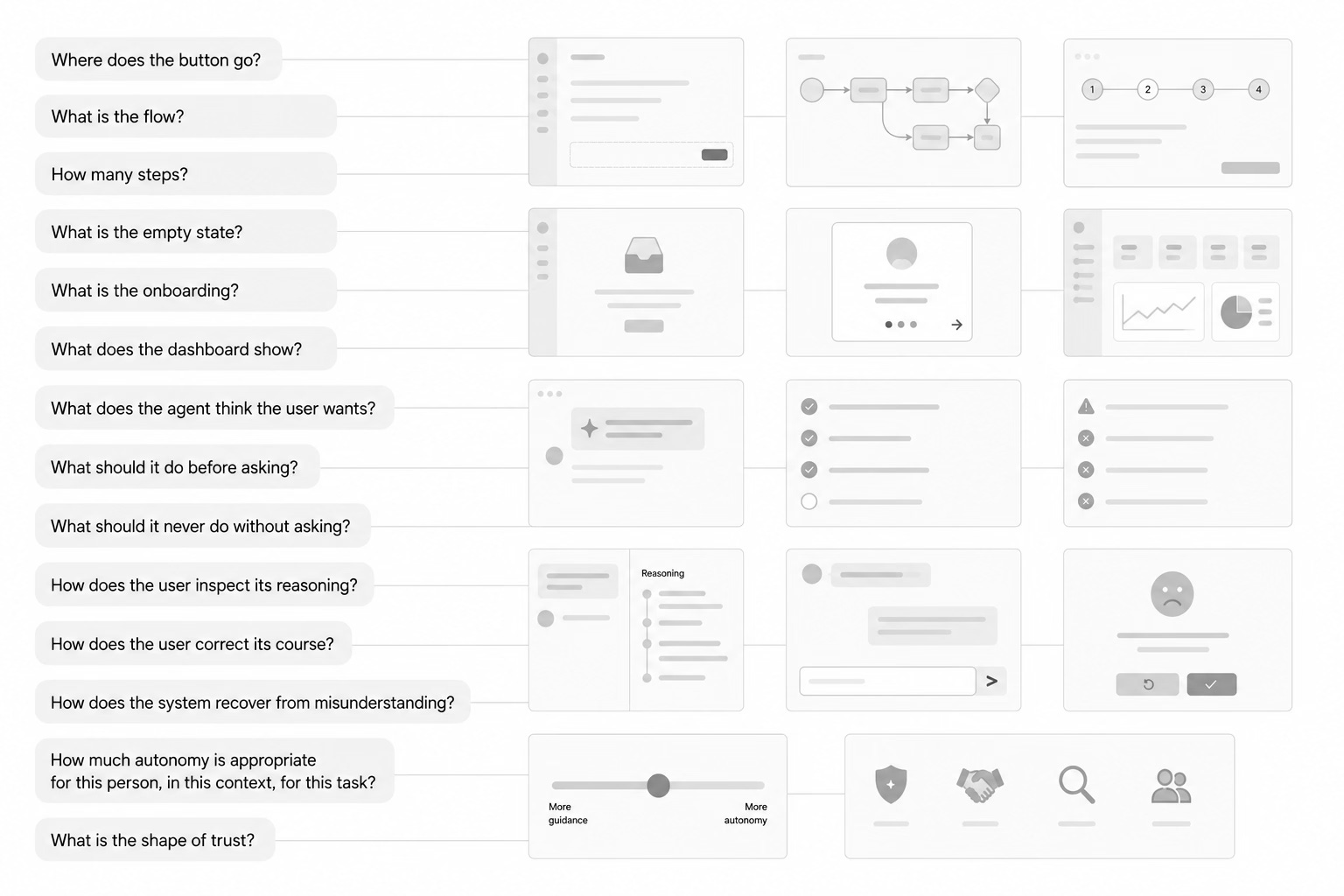
And sketched:
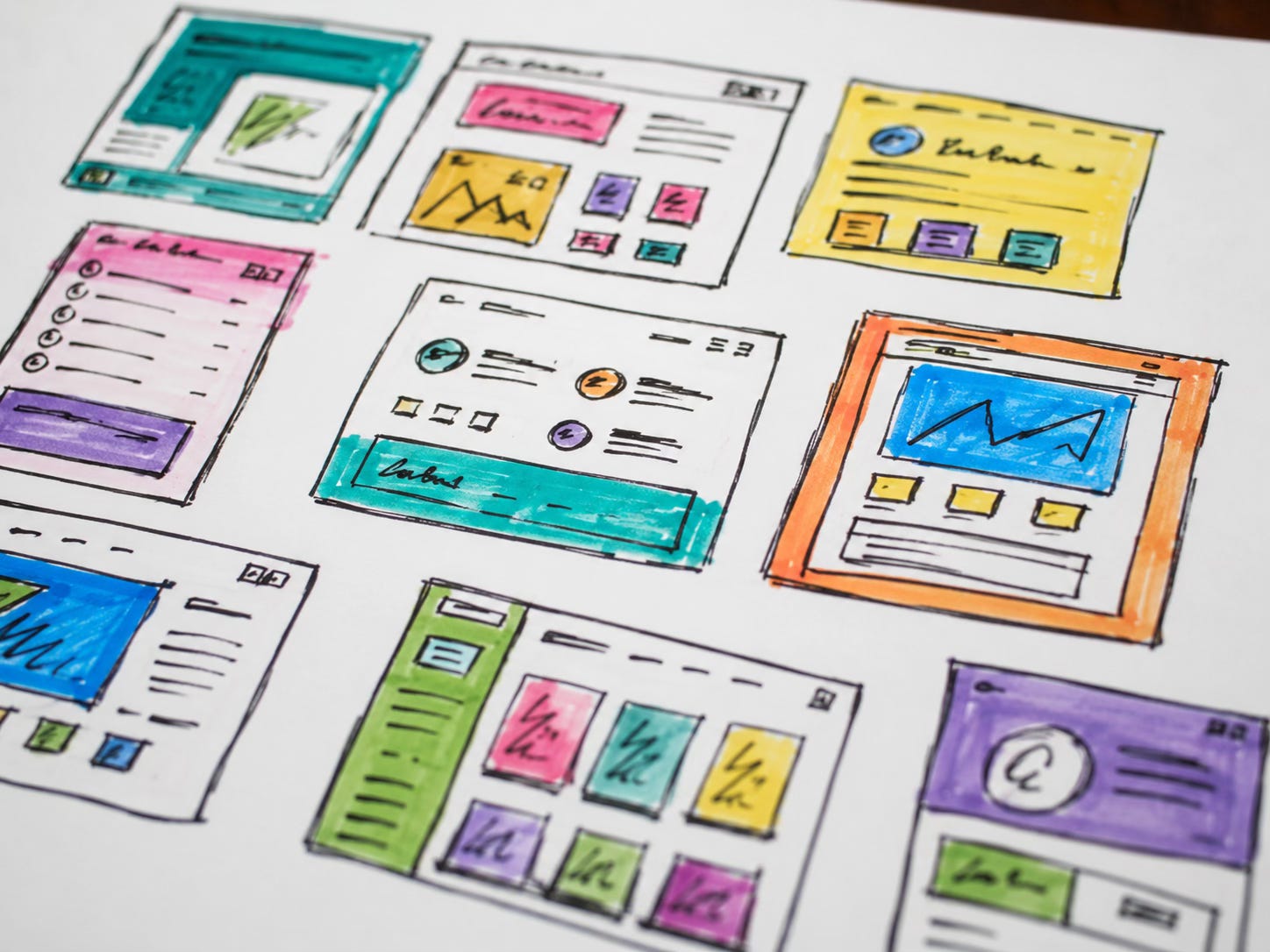
And then designed for pixel-perfect, accessible deployment to production – for weeks and months and sometimes years. When I now think back on what it took to design and build this startup: Visualplant, it feels glacial, like it was the ice age.
In our rapidly-evolving, new era the interface does not need to be an elaborate arrangement of screen states, UI components and controls.
The interface is the relationship between human intent and machine agency.
That is why the CLI comparison matters. The command line was always about agency. It gave the user direct power over the machine. It was not decorative. It was not trying to entertain. It was a compact contract between intention and execution.
Agents promise a similar kind of power, but at a higher level of abstraction. The danger is that abstraction can hide consequence. The opportunity is that abstraction can make power accessible.
Agents collapse the visible surface. The interface becomes the relationship
AI agents reopen the old command-line question:
What if you could simply tell the computer what you want? But this time, the human does not have to speak computer. That is the important difference.
The old command line required humans to translate intention into rigid syntax. The new agentic interface lets humans express intention in natural language, with all the ambiguity, shorthand, context, and approximation that human language carries.
The agent absorbs more of the translation layer. It infers the task. It asks clarifying questions. It retrieves context. It chooses tools. It performs actions. It reports back. It can revise, compare, explain, and continue.
The old CLI required humans to become more machine-like. The new CLI requires machines to become more human-literate.
That is why the agent feels less like another app and more like the return of a very old interaction model:
Prompt.
Response.
Correction.
Action.
Result.
Only now the prompt is not a cryptic instruction to a shell. It is an ordinary sentence addressed to a system that can reason across language, tools, files, APIs, and context.
From syntax to intent
Consider a simple Bash command:
grep -R "checkout" ./src | sort | uniqFor a developer, this is elegant.
Search recursively through the ./src directory for the word “checkout.” Sort the matching lines. Remove duplicates. Return a cleaner list of results.
It is compact, composable, and powerful. It combines three small utilities into a single useful operation. It is also completely opaque to someone who has not learned the language of the shell.
A non-technical person would not naturally say:
Recursively grep checkout in source, pipe to sort, then pipe to uniq.
They would say something like:
Find every place in the product where checkout behavior appears, organize the results, and show me what looks important.
Or maybe:
Look through the codebase and tell me where checkout is defined, where it changes state, and where the user might get stuck.
That is the agentic leap.
The user no longer needs to know the exact utility, flag, path, pipe, or output transformation. The user can describe the intended outcome. The system can decide whether to search files, inspect code, run tests, summarize results, or ask for clarification.
The command line has not disappeared. It has become semantic.

CLI craft matters again
This is why the history of command-line interface design suddenly feels relevant again.
A great CLI was never merely a pile of commands. It was an interface discipline. The best CLIs were fast, predictable, composable, scriptable, inspectable, and respectful of users who wanted to move quickly.
They rewarded fluency without always punishing exploration.
They offered help. They returned useful errors. They made state visible. They did one thing well or composed many small things into something larger. They respected standard input and output. They made automation possible.
The seminal Command Line Interface Guidelines is valuable because it treats this tradition as design practice. It reminds us that terminal software is not exempt from user experience. The best command-line tools are thoughtfully shaped. They care about language, defaults, feedback, documentation, errors, and trust.
That matters because agents inherit many of the same design problems. An agentic interface still needs good help.
It still needs:
clear feedback
useful errors
composability
sensible defaults
visible state
permissions
reversibility and version control
to distinguish between what it knows, what it is assuming, what it is doing, and what it needs from the user
In other words, the best agentic interfaces may have more in common with great CLIs than with most modern apps.
The old CLI was deterministic. The new CLI is probabilistic.
There is, of course, a major difference.
The old command line was deterministic. If you typed a valid command into a stable environment, you expected a predictable result. The system might fail, but it usually failed in knowable ways. A missing file. A bad flag. A permission error. A broken path.
AI agents are not like that.
They are interpretive. They operate through language. They make inferences. They manage uncertainty. They may misunderstand the goal, choose the wrong tool, overstep, hallucinate, omit a caveat, or produce a plausible answer that needs inspection.
That changes the design problem.
The old CLI problem was:
How do we make computers controllable through precise text?
The new agentic problem is:
How do we make computers reliable when controlled through imprecise human language?
That is a much harder problem. But it is also why UX matters so much.
The answer is not to pretend agents are deterministic. The answer is to design interfaces that make uncertainty visible and manageable.
A good agentic interface should show what the agent understood. It should reveal what it plans to do. It should ask before taking consequential actions. It should make its sources and assumptions inspectable. It should allow reversal. It should let expert users increase autonomy and novice users constrain it. It should provide confidence without pretending to be infallible.
This is not decoration. This is the new usability.
Conversation is not enough
It is tempting to say that conversation is the interface. That is partly true. But conversation alone is not enough.
A pure chat box can become just as overloaded as a bad dashboard, only in a different way. Long threads can bury context. Tool actions can become invisible. Decisions can disappear into prose. The user may not know what has happened, what is pending, what has changed, or what the agent will do next. Crucial moments involving personal information granted to the agent introduce risk and user doubt.
If everything becomes conversation, then conversation needs structure.
The best agentic interfaces will combine the old and the new: natural language for intent, visual structure for state, controls for permission, timelines for action, cards for evidence, diffs for change, previews for risk, and logs for accountability.
The command line comes back as conversation, but it should not come back alone. It needs scaffolding.
The future interface is part chat, part terminal, part dashboard, part document, part operating system, and part collaborator.
The key is not whether the surface looks minimal. The key is whether the human can understand and direct the system and trust it.
Does the user trust an agent with her money? Does the user trust an agent to make purchases for her? In these crucial moments, designers need to provide some hand-holding, to introduce trusted actors:

The command line never died
The command line never really went away.
Developers kept using it. System administrators kept using it. Power users kept using it. Behind every polished visual interface, somewhere, commands still ran. Scripts moved files. Processes started and stopped. Logs accumulated. Servers deployed. Builds compiled. Databases migrated. Software remained, at some level, command-driven. What changed is that most users were shielded from that layer.
Now agents are bringing command back to the surface, but in a form ordinary people can use. Not commands as syntax. Commands as intent. Not memorized flags. Natural language. Not help pages as prerequisite. Help as dialogue. Not the human adapting entirely to the machine. The machine adapting, imperfectly but increasingly, to the human.
The new breed of AI apps are compelling expanding the creator class from developers to designers to product managers to marketers to legal and, perhaps, everyone else:

This does not make traditional CLI wisdom obsolete. It makes it newly relevant. The new, now generation of AI interfaces demand the seriousness of the old command line and the accessibility of natural language. They need to be fast, powerful, inspectable, composable, and honest. They need to microscope and telescope in an iterative loop that continuously refines and advances the goal, the project, the software. They need to reward expertise without requiring every user to become an expert before beginning.
That is a beautiful design challenge. It is also a historical loop. The future of software may not be more screens. It may be better commands and prompts, questions and directions.
The command line never died. It was waiting for the computer to understand us.
Recommended reading: The Command Line Interface Guidelines — an open-source guide to writing better command-line programs and a useful reminder that even the oldest interface patterns deserve serious UX craft.